
More dishes. Less juggling.
Give each dish its own timer and a name you can spot at a glance.
A little help keeping track of what’s cooking, so you can stay in the moment.

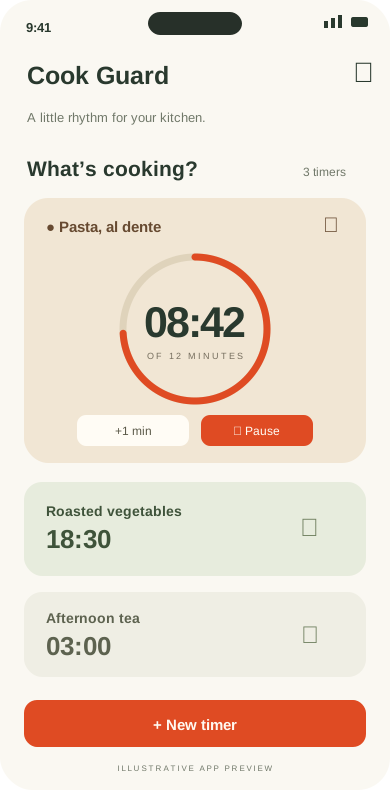
Time to check the pasta.
A timer for every dish.
From your first cup of tea to a full table. A few thoughtful tools to help keep things moving.
Give each dish its own timer and a name you can spot at a glance.
Alarm reminders for the next step, with device setup guidance close at hand.
Kitchen Mode puts a large, easy-to-read timer front and center.
Quickly add time when your pasta needs just a little longer.
Keep favorite durations together with handy cooking presets.
Interval reminders for stirring, flipping, or checking in on a dish.
Feature descriptions are template copy. Final availability depends on the released app.
A considered space for your timers.
Tap a screen to take a closer look.
A clear view of what’s cooking.
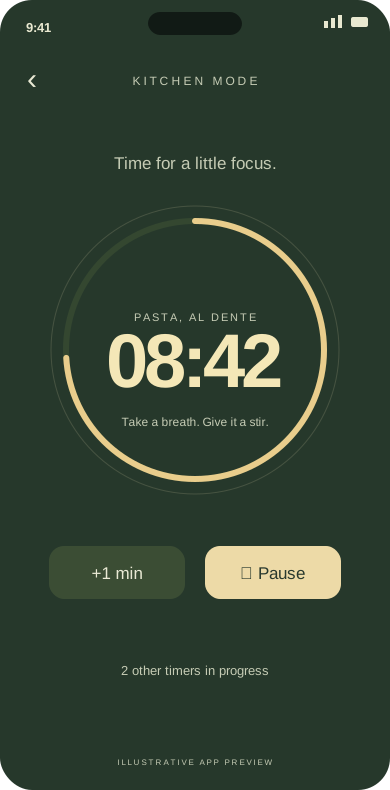
Room to read, even at a glance.
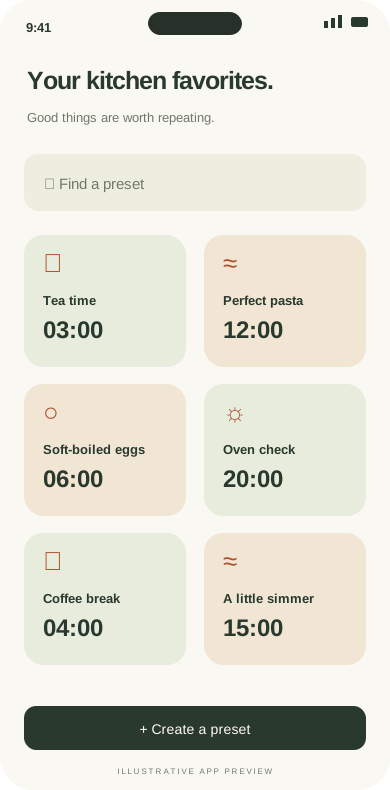
A head start on your favorites.
Illustrative previews. These are local placeholders, not final app screenshots.
Explore the guideName your dish, choose a duration, and start your timer. Add another as your meal comes together.
Keep timers in view or use Kitchen Mode for a bigger display. Stir, taste, and enjoy the process.
Use the reminder to check your food. Need more time? Adjust the timer and keep cooking.
Big numbers. A little breathing room. Keep the next cooking moment in view, right where you need it.
Get to know Kitchen ModeTry the controls. Design preview only; no countdown or alarm.
Your phone’s settings matter. Take a moment to check them before relying on a background reminder.
Review notification and alarm permissions requested by the app, where available.
Battery restrictions, alarm volume, and Do Not Disturb can affect the experience.
Lock the screen and check that your phone delivers the reminder as expected.
A few things you might be wondering before your next meal.
We’re here to helpBackground alerts depend on the app’s implementation, Android version, permissions, battery settings, and device manufacturer. Test a short timer with the screen locked on your own phone. See the background alarm guide.
The intended experience is a focused display with a large timer and simple controls. The preview on this site illustrates that design. Check the released app for the final appearance and available controls.
Multi Timer is included in this template’s proposed feature set. The illustrated timers show separate names and durations. Final limits and availability should be confirmed against the released app.
No. A timer is a reminder tool. Keep an eye on your cooking, follow appliance instructions, and stay nearby. A phone may be muted, powered off, restricted, or unable to deliver an alert.
Use the Google Play section below for release information. The listing link is intentionally not active in this template until availability has been confirmed.
Read the documentation or email cookguard@ydapps.com. Include your phone model, Android version, app version, and the steps that led to the problem.
Cook Guard for Android. A thoughtful companion for the everyday joy of cooking.
Store availability has not been confirmed. View release information.